ARTIFACT WI/Fiesta Image White Pixel
SYSTEM: 1.5T Signa Twin Excite II (Software Version 11.0M4)
PROBLEM/SYMPTO
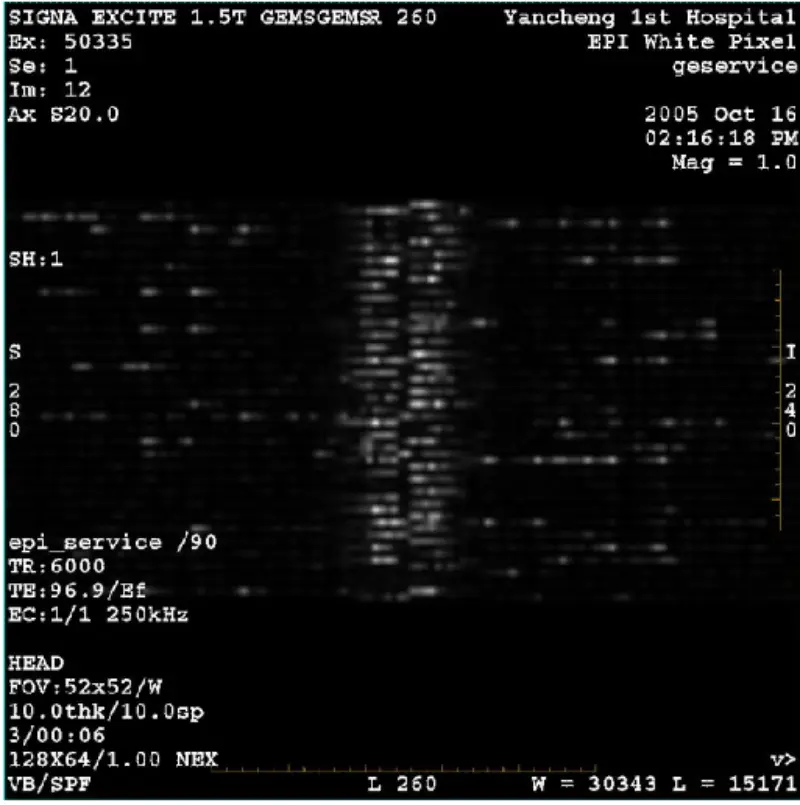
DWI (Zoom mode and whole mode) and fiesta (zoom mode and whole mode) image having visible reticulate or corduroy artifact no matter when using body coil or head coil, other routine image seems normal
TROUBLESHOOTING HISTORY/HINT
1. Super conduct Shim check, result is all pass.
2. Remove patient bridge, no found any coin and other metal.
3. Do the grafidy calibration all terms green.
4. Run Zoom and whole BACC.
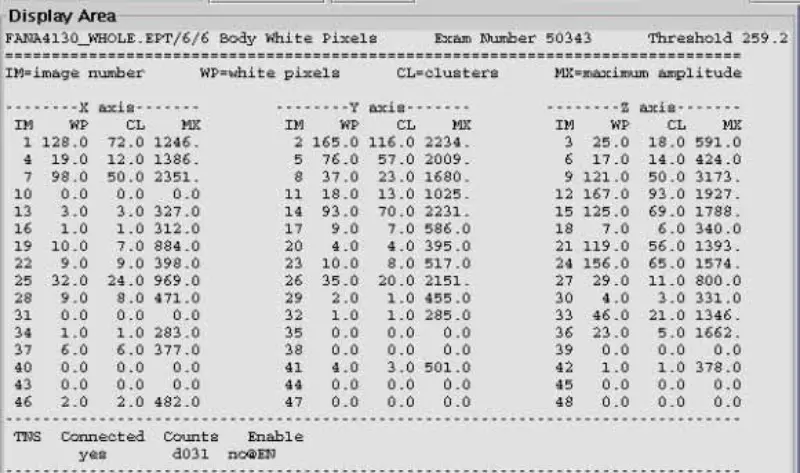
5. Run Zoom and whole EPT. Result is that white pixel severe and other items pass
including head and body. Phase dither B0 value is in spec.
6. Run white pixel test, all failed.
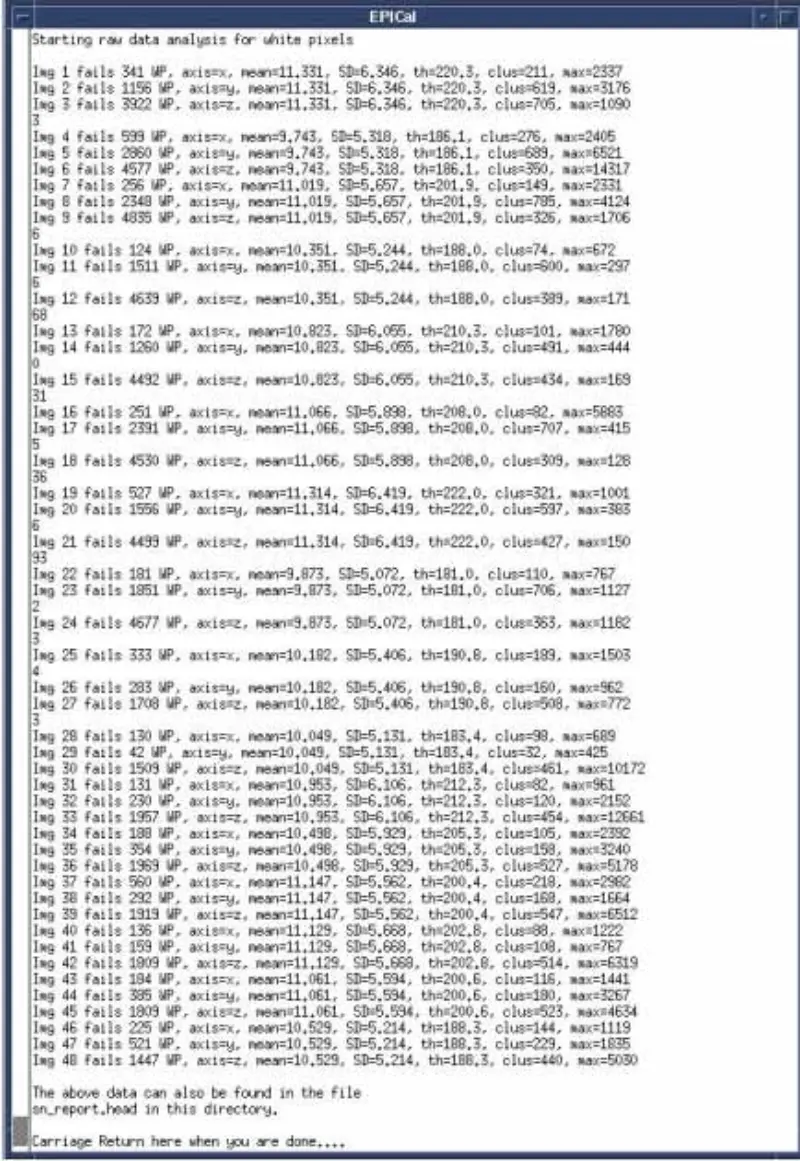
7. Run SPT all pass. Especially all gradient stability tests pass.
8. Emulate and inspect environment items around magnet , including fan, speaker, injector, cold head and so on.
9. Disable Temp sensor, SRI, PAC and table, problem still.
10. Disconnect the receive cable at system cabinet I/F(Body J2 and Head J5 ),add 50 ohm terminator and DC block to system cabinet connector. EPT white pixel head and body scan. result is pass. Confirm that problem not in the system Cabinet. Reconnect. Receive cable at system cabinet I/F
11. Disconnect X,Y and Z Gradient Drive Fiber Optics at GP board, EPT white pixel head and body scan. result is pass. It indicate that the white pixel is induced by gradient. Seen that white pixel not only present on one axis. Then replace the SGA PS , GP board ,but problem still. Reconnect X,Y,Z Gradient Drive Fiber Optics.
12. Disable DD/TR at SSM. Disconnect DD cable at Pen Wall(J72,J73,J74,J75,J75) ,EPT white pixel head and body scan. result is that head pass and body failed . Body coil is undetuned,so body coil absorb signal .Therefore head pass and body failed. In order to check our deduction, connect extension cable to head coil and place the head coil outside of the magnet bore, scan head white pixel. As a fact, result is head failed. Reconnect only one of the DD cable at Pen Wall, EPT white pixel head and body scan. Result is that all failed. Confirm that the DD board and splitter board is not the cause.
13. Reconnect DD cables at Pen Wall. Disconnect the Body and Head T/R Bias BNC cable at SSM.EPT white pixel head and body scan. Result is that all failed. Reconnect body and head bias cables removed. Disconnect the head and body output cable on SRFDII.EPT white pixel scan. Result is that all failed. Confirmed that problem not in the SRFDII AMP and SSM.
14. Disconnect the I and Q cables at Hybrid. Run head EPT white pixel scan. Result failed. Suspect Hybrid. Replace Hybrid. But problem still.
15. Remove the front cover of magnet. Inspect the RF shield ground cable and Temp sensor cable. The cable is OK.
16. Remove Body RF coil from TRM. Run head EPT white pixel scan, result failed.
17. Remove RF shield from TRM. Run EPT white pixel scan with RF shield out. Result failed. Replace the RF shield and run EPT white pixel scan. Problem still.
ROOT CAUSE/SOLUTION
From above action and analysis, we conclude that the problem should be caused by gradient coil. So we remove the front and rear cover of the magnet, check and tight the bolts related to gradient coil. After removing the rear cover of the magnet, we find the high order shim cable has been burned out into black one.
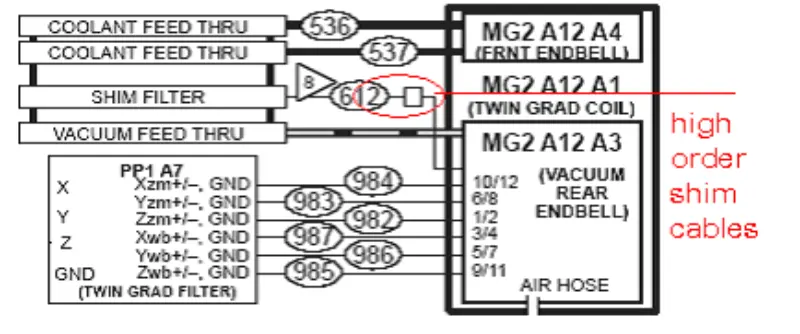
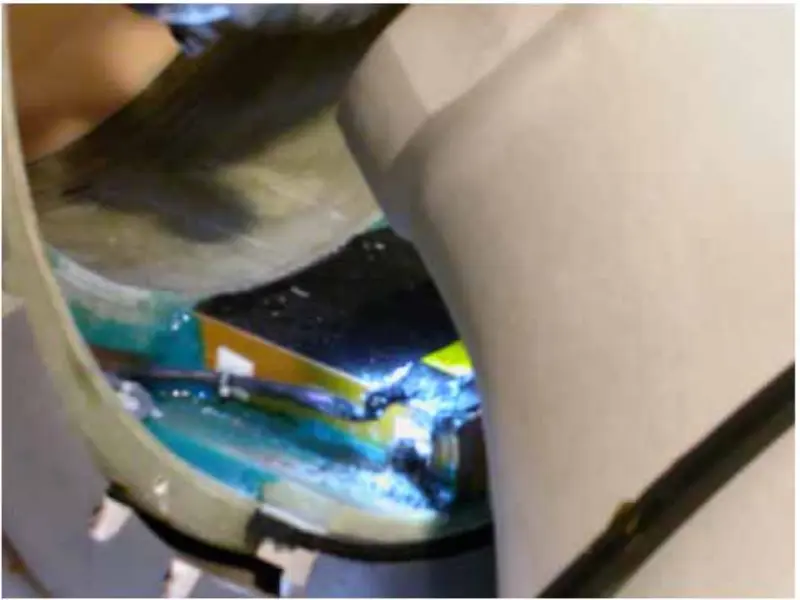
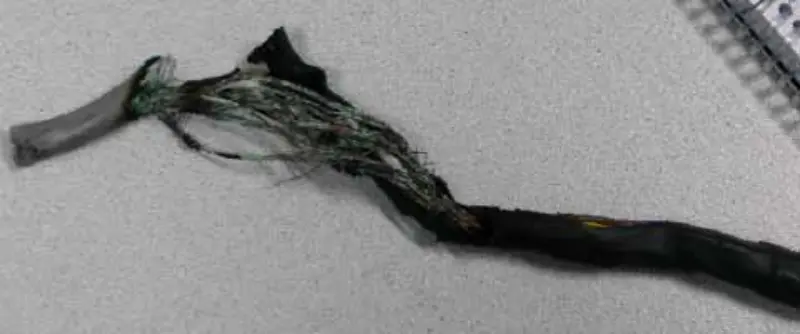
Because there is no high order shim option on this site, we cut the high order shim cable. We peel off the cables separately and bind up each of the cables using the insulated adhesive tape. Restore everything, run EPT white pixel scan. All pass. After this local repair, the system is OK. There is no white pixel as before on DWI and Fiesta image.
The high order cables must be damaged in factory. The damaged cables adjoined together and formed many smallest circles. When run DWI scan, the circle induced much more heat than any other scan. So the cables burned day by day and affect the DWI scan. As a fact, with the day going on, the effect become more and more severe.
Send Inquiry



X
We use cookies to offer you a better browsing experience, analyze site traffic and personalize content. By using this site, you agree to our use of cookies.
Privacy Policy